Scanning & Tracking
Best Flatbed Scanners for Cards
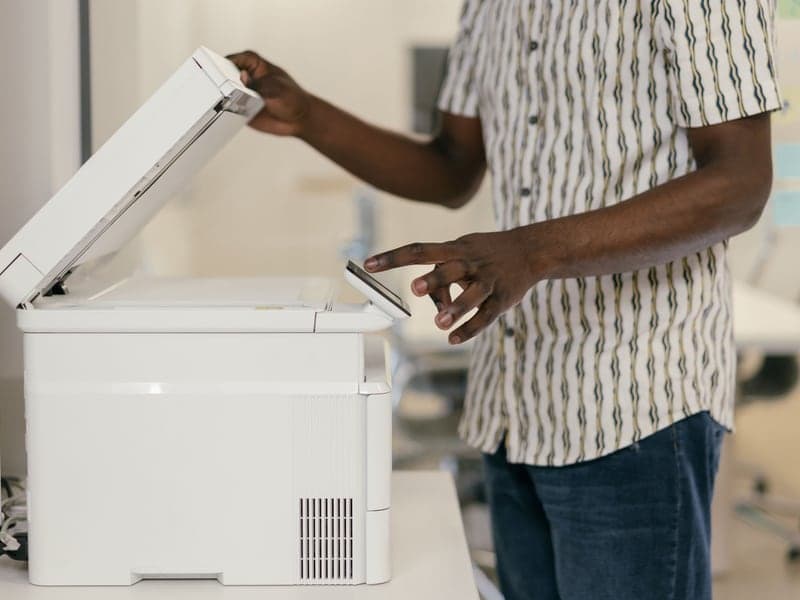
Nothing but glass touches the card. That is the entire argument, and it is a good one.
By Brijon M. · Published October 6, 2026 · Last updated October 6, 2026
Disclosure: Slab & Stack is funded by affiliate commission. If you buy through a link on this page we may earn a commission at no extra cost to you, and that never changes which product we put first. How we pick · Full disclosure
The short answer
Epson Perfection V600 for most people, V850 Pro if you measure off scans
The V600 produces images well beyond what listings need and handles slabs. The V850 Pro's 6400 dpi matters only if you are measuring borders off the scan instead of with a gauge. The Canon LiDE 400 is the small-desk entry point and is genuinely sufficient for listing photos.
A flatbed is the default card scanner for one reason: the card lies still on glass and nothing else touches it. Everything else about the choice is about how much detail you need and how much desk you have.
Quick picks
| # | Product | Best for | Price |
|---|---|---|---|
| 1 | E Epson Perfection V600 Photo Scanner The volume sweet spot for card work — quality beyond listing requirements, and it scans slabs without drama. Best overall | High-quality flatbed card scans | Check price on Amazon |
| 2 | E Epson Perfection V850 Pro 6400 dpi optical per the manufacturer, enough to measure centering off the scan rather than off a gauge. Best for measurement and archiving | Maximum detail on high-value cards | Check price on Amazon |
| 3 | C Canon CanoScan LiDE 400 USB-powered, stands upright, stores in a drawer, and perfectly adequate for listing images. Best small-desk option | A flatbed on a small desk | Check price on Amazon |
| 4 | R Ricoh ScanSnap SV600 If lid pressure on a warped card worries you, an overhead scanner removes the question entirely. The contactless alternative | Contactless scanning of valuable cards | Check price on Amazon |
#ad We earn a commission if you buy through these links, at no cost to you. Prices move constantly, so we link to the live listing instead of printing a number that would be wrong next week. How we are funded.
1. Best overall
Epson Perfection V600 Photo Scanner
Epson · High-quality flatbed card scans
A flatbed is the right tool for cards, because nothing touches the card but glass. The V600 is the volume-sweet-spot model for listing photos and submission records.
Why it takes this slot: The volume sweet spot for card work — quality beyond listing requirements, and it scans slabs without drama.
- Type
- Flatbed photo scanner
- Use
- Listing images, grading records, archival scans
- Tradeoff
- Slower than a feed scanner, higher image quality
What it does well
- No rollers touch the card, which is the whole argument for flatbeds
- Image quality is good enough for listings and pre-submission records
- Scans slabs as well as raw cards
Where it falls short
- Slow — one platen at a time
- Desk footprint is real
- Overkill if you only ever need a phone snapshot
#ad We link to the listing rather than printing a price that would be wrong next week. How we are funded
2. Best for measurement and archiving
Epson Perfection V850 Pro
Epson · Maximum detail on high-value cards
6400 dpi and professional controls. You buy this for archiving genuinely valuable cards and for centering measurement off a scan rather than a gauge.
Why it takes this slot: 6400 dpi optical per the manufacturer, enough to measure centering off the scan rather than off a gauge.
- Resolution
- 6400 dpi optical per the manufacturer
- Type
- Professional flatbed
- Use
- Archival scans, precise centering measurement
What it does well
- Resolution high enough to measure borders off the scan
- Color accuracy well beyond listing requirements
Where it falls short
- Costs more than many collectors' whole supply budget
- File sizes get unwieldy fast
- Nothing about it makes bulk scanning quicker
#ad We link to the listing rather than printing a price that would be wrong next week. How we are funded
3. Best small-desk option
Canon CanoScan LiDE 400
Canon · A flatbed on a small desk
Slim, USB-powered, and good enough for listing photos. The honest entry point if you want scans rather than phone photos but have no room for a photo scanner.
Why it takes this slot: USB-powered, stands upright, stores in a drawer, and perfectly adequate for listing images.
- Type
- Slim flatbed scanner
- Power
- USB powered
- Use
- Listings and records
What it does well
- Stands upright and stores in a drawer
- One cable, no power brick
- Cheapest route to real flatbed scans
Where it falls short
- Lid pressure is light, so warped cards need weighting
- Not built for volume
#ad We link to the listing rather than printing a price that would be wrong next week. How we are funded
4. The contactless alternative
Ricoh ScanSnap SV600
Ricoh · Contactless scanning of valuable cards
An overhead scanner: nothing touches the card at all. That makes it the one fast-ish option that is safe for premium raw cards and for slabs.
Why it takes this slot: If lid pressure on a warped card worries you, an overhead scanner removes the question entirely.
- Type
- Overhead contactless scanner
- Contact
- No rollers, no platen pressure
- Use
- Premium raw cards, slabs, thick stock
What it does well
- Zero physical contact with the card
- Scans slabs without the glare problems of a flatbed lid
- Faster than a flatbed for a run of singles
Where it falls short
- Ambient light control matters, so it needs a considered spot
- Image quality trails a good flatbed
- Expensive for a home collection
#ad We link to the listing rather than printing a price that would be wrong next week. How we are funded
What matters on a flatbed for card work
- Optical resolution, not interpolated. 600 dpi for listings, 1200 dpi for records and measurement.
- A lid that closes gently. Lid pressure on a warped card is the one way a flatbed can cause harm.
- Even illumination across the platen, which is what stops one corner of the scan looking different from the other.
- Software that can be turned off. Auto-correction and sharpening invent detail, which is the opposite of a record.
- Footprint, because a photo scanner is a large object to leave on a desk.
Scanning slabs on a flatbed
It works, with two adjustments. Leave the lid up and dim the room, because closing a lid on a slab achieves nothing and the case reflects it. And expect to deal with glare: a slight angle or a piece of card held to block a reflection does more than any software setting.
When a flatbed is overkill
If you want to identify cards and build an inventory, a phone app does that in seconds per card and a flatbed does not do it better. Use the flatbed for the cards where the image itself is the point — listings, pre-submission records, insurance documentation.
Common questions
Are flatbed scanners safe for trading cards?
What dpi for card scans?
Can a flatbed scan graded cards?
Do I need a photo scanner or will a cheap one do?
Back to Scanning & Tracking.
Sources
About the author
Brijon M. is the hands-on owner behind MadGrey LLC and the person who writes and maintains every page on Slab & Stack. He buys supplies in bulk, submits cards for grading, and keeps this site's recommendations tied to what a working collection actually needs.
Brijon M. · Owner, MadGrey LLC · Read the full bio
Read next


reference
Best Scanner Settings for Cards
The settings that make a scan a record rather than an interpretation.
guide
How to Scan Sports Cards
A workflow you can repeat on card number four hundred without thinking about it.
Picks
Best Card Centering Tools
Measure the one defect that costs the most grades, before you pay to find out.